Research/Grand Unified Fly

GUF_overview.png

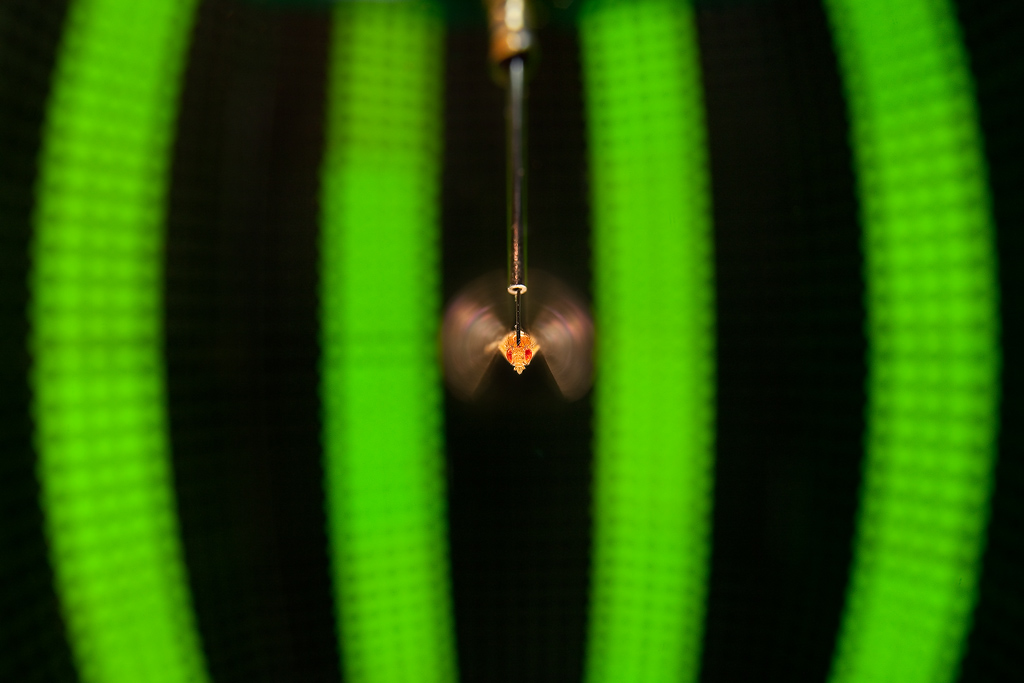
Block diagram of "Grand Unified Fly" and a model fly situated in a tunnel environment under closed-loop visual control. [WWW] Click for movie

  1. References
  2. Overview
  3. Installation (2008)
  4. [legacy] The software
    1. [legacy] Prerequisites
    2. [legacy] Optional (Required for some utilities)
    3. [legacy] fsee - visual simulation component of GUF
    4. [legacy] fmech - flight mechanics component of GUF
    5. [legacy] Related software

References

Dickson, W.B., Straw, A.D., Poelma, C., & Dickinson, M.H. (2006) "An Integrative Model of Insect Flight Control" Proceedings of the 44th AIAA Aerospace Sciences Meeting and Exhibit PDF AIAA-2006-0034

Epstein M., Waydo, S., Fuller, S.B., Dickson, W., Straw, A., Dickinson, M.H. & Murray, R.M. (2007) "Bioligically Inspired Feedback Design for Drosophila Flight" [WWW] Proceedings of the 2007 American Controls Conference.

Overview

We are developing a computer model of Drosophila to investigate the aerodynamics, control, neural processing, and sensory inputs of fly flight. The components of the model are individually useful as research tools but also perform as parts in an integrated whole. For more information, please download the paper above.

Eventually we would like to release all of the code open source. Our [WWW] Drosophila eye map software library contains the optical models, but the rest of the software is currently only available to collaborators. The instructions below will (help) get you started.

Installation (2008)

We humbly recommend Ubuntu for the distro of choice when running GUF.

1.Add Andrew Straw's Apt repository to your /etc/sources.list

2. Update, (you should get a GPG error);add the key for Andrew's repository

3. Update and install dependencies for GUF

[legacy] The software

[legacy] Prerequisites

package & home website

link to source code download

link to win32 binary

tested version(s)

comments

[WWW] OpenSceneGraph

[WWW] OSG_OP_OT-1.0.zip

[WWW] osg1.0_setup_2005-12-09.exe

1.0

See the /Building OpenSceneGraph page.

[WWW] Python

[WWW] Python-2.4.2.tgz

[WWW] python-2.4.3.msi

2.3.x - 2.4.x

Probably already available on any linux distribution.

[WWW] setuptools

download the [WWW] ez_setup.py script and let it download setuptools by typing python ez_setup.py

0.6a10 - 0.6a11

[WWW] numpy

[WWW] numpy download page

[WWW] numpy windows installer

0.9.5 - 0.9.6r1

If you have the source version, extract and type python setup.py install to install it.

[WWW] scipy

[WWW] scipy download page

[WWW] scipy-0.4.8 for win32 py2.4 pentium4sse2

0.4.6 - 0.4.8

If you have the source version, extract and type python setup.py install to install it.

[WWW] cgkit1

[WWW] cgkit1 download page

1.2

[WWW] ODE

[WWW] ODE download page

0.5

[WWW] pyrex

[WWW] pyrex download (this version is broken with Python 2.4)

There is an ebuild of pyrex for gentoo. A debian package is also available. As the download link from the pyrex web page appears to be broken this is probably your best bet.

[WWW] pyode

[WWW] pyode download page

1.1.0

The file src/ode.pyx requires a patch for amotors to work properly with ball joints. This patch is required for GUFM. A patched version of ode.pyx can be found here [WWW] ode.pyx To install the source version extract and type python setup.py install.

[WWW] Python Imaging Library

[WWW] Imaging-1.1.5.tar.gz

1.1.5

Available as a package on some linux distributions, including debian, where you can do apt-get install python-imaging

[WWW] boost python

[WWW] boost_1_32_0.tar.gz

[WWW] boost_1_33_1.exe

1.32.0 - 1.33.1

Available as a package on some linux distributions, including debian, where you can do apt-get install libboost-python-dev

[WWW] PyOSG

[WWW] pyosg_ads_r5.tar.gz

ads_r5

requires OpenSceneGraph 1.0

[legacy] Optional (Required for some utilities)

package

home website

link to source code download

tested version(s)

comments

VTK

[WWW] http://public.kitware.com/VTK/

[WWW] download

4.4.2

Build with python bindings

matplotlib

[WWW] http://matplotlib.sourceforge.net/

[WWW] download

[legacy] fsee - visual simulation component of GUF

Download the releases from [WWW] https://mosca.caltech.edu/guf_dist (login required)

To install, run python setup.py install.

[legacy] fmech - flight mechanics component of GUF

Download the releases from [WWW] https://mosca.caltech.edu/guf_dist (login required)

To install, run python setup.py install

[legacy] Related software

You may also be interested in [WWW] Enlil, "an efficient 3D physics-based simulator" by Beyeler, et al at the Laboratory of Intelligent Systems at EPFL.

last edited 2008-08-21 13:59:07 by AndrewStraw